

Your sales team can have a powerful CRM, multiple productivity tools, and a full pipeline, yet still spend too much time on tasks that don’t directly contribute to revenue. Salesforce research involving more than 7,700 sales professionals found that 72% of sellers’ time is spent on non-selling tasks. The issue may not be that your team isn’t working hard, but that disconnected tools, people, and processes are creating unnecessary friction.
Here are 4 productivity gaps worth looking at.
Pitfall 1: Tool Fragmentation: Your Sales Team Spends Too Much Time in Tools
According to State of Sales report, sales teams use an average of 10 sales productivity tools, from reporting and forecasting to customer and opportunity management. With information spread across different platforms, sellers can end up constantly switching between systems just to complete one workflow. Salesforce reports that 2/3 of sellers feel overwhelmed by their tools.

Business impact: Every unnecessary tool switch takes time away from selling, while fragmented information can lead to duplicated work, outdated data, and missed customer context.
Solution: Move from a collection of disconnected tools to a connected workspace
Instead of adding another standalone tool, create one central collaboration layer that connects your CRM with the conversations, updates, and workflows happening around it.
- Connect your CRM with your team communication: Bring Salesforce updates, customer information, and deal notifications into the workspace where your team communicates.
- Reduce unnecessary app switching: Let reps access relevant information and take simple actions without opening multiple platforms for every task.
- Keep integrations scalable: As your team adopts more business and AI tools, choose a collaboration platform that can connect with the rest of your technology stack rather than creating another information silo.
Pitfall 2: Collaboration Silos: Your Teams Have the Expertise But Can’t Align Fast Enough
Complex deals rarely involve Sales alone. Sales may need input from Customer Success, Finance, Legal, IT, or other teams. Salesforce found that 81% of sales reps say team selling helps them close deals, while 82% say aligning with other sellers is at least somewhat challenging.
When conversations are scattered across email, meetings, chat, and other channels, teams spend valuable time finding the right people and getting everyone up to speed.
Business impact: When teams struggle to align, decisions take longer, information gets lost between departments, and sales opportunities can move more slowly.
Solution: Create a shared collaboration space around each customer or deal.
Instead of relying on separate email threads and one-to-one messages, create dedicated spaces where the people involved in an opportunity can collaborate around the same context.
- Create a dedicated space for important deals: Bring Sales, Customer Success, Legal, IT, and other stakeholders into the same conversation when needed.
- Keep decisions and updates in one place: Make it easier for new stakeholders to understand what has already been discussed without restarting the conversation.
- Bring external stakeholders into the workflow when appropriate: Use controlled external collaboration for customers, partners, or vendors instead of creating disconnected communication threads.
Pitfall 3: Process Friction: Internal Approvals Are Slowing Down Your Deals

A deal can be ready to move forward with the customer but still get stuck internally. Quotes, discounts, contracts, and special terms may require approval from multiple stakeholders, creating another layer of waiting and follow-up.
Business impact: Approval delays can extend the sales cycle, slow down revenue, and leave sales reps spending valuable time chasing internal responses instead of engaging customers.
Solution: Move approvals into the workflow instead of treating them as separate requests.
The objective is to make an approval visible, contextual, and actionable without forcing employees to search through email or multiple systems.
- Route requests to the right stakeholders automatically: Make it clear who needs to review or approve each request.
- Keep approval discussions alongside deal context: Give approvers the customer and opportunity information they need to make a decision quickly.
- Automate repetitive approval steps: Use workflow automation for recurring requests, reminders, and notifications instead of relying on manual follow-up.
Pitfall 4: Lack of Real-Time Deal Context
A CRM can show where an opportunity stands, but the full story behind a deal may live somewhere else. Customer concerns, pricing discussions, internal decisions, or agreed next steps can remain buried in conversations outside the CRM.
Business impact: When context is difficult to find, reps spend time searching, asking, and confirming information. This can lead to slower responses, inconsistent handovers, and decisions based on incomplete information.
Solution: Connect the conversation around a deal with the CRM record itself.
Salesforce should remain the source of structured customer and opportunity data, while the collaboration layer captures the conversations and decisions behind that data. Connecting the two gives teams a more complete view of both the record and the context behind it.
- Make conversations searchable: Preserve important deal discussions so teams can recover context when needed.
- Connect conversations to Salesforce records: Keep relevant discussions around Accounts and Opportunities rather than leaving them isolated from the CRM.
- Surface CRM updates in the team’s workflow: Let reps receive relevant deal changes where they already collaborate instead of constantly checking Salesforce manually.
From Disconnected Work to Connected Work with Slack Pro
The four productivity gaps above point to one underlying challenge: disconnected work creates friction between information, collaboration, and action, making it harder for sales teams to work efficiently and move opportunities forward.
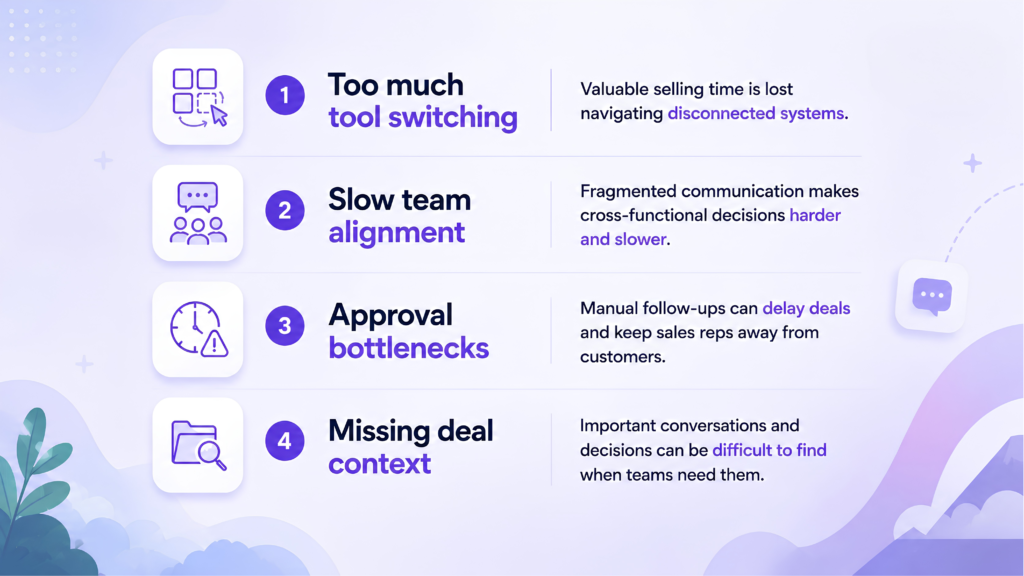
To address these productivity gaps, Salesforce introduced Slack as a collaboration platform designed to bring people, information, and workflows closer together. For teams that need more than basic communication, Slack Pro extends these capabilities with unlimited message history, broader app integrations, workflow automation, AI-powered productivity tools, and richer collaboration features.
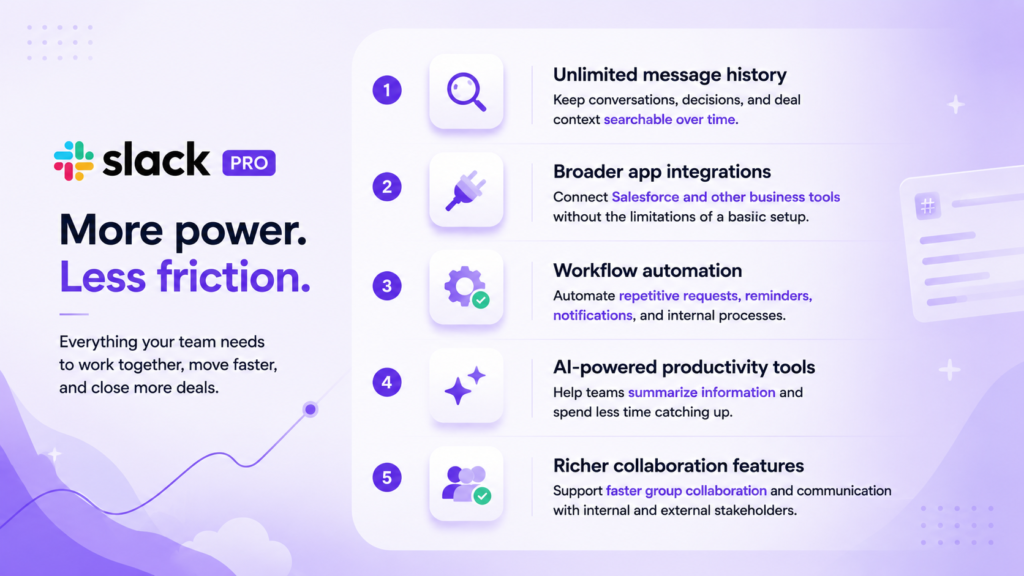
Together with Salesforce, these capabilities can help reduce tool switching, improve team alignment, automate repetitive work, and keep customer and deal context closer to where teams work.
Ready to unlock greater team productivity with Slack Pro? Contact Nimbus Consulting now!


 Ho Chi Minh City Office: 68 Bat Ban, Binh Trung Ward, Ho Chi Minh City