

Dreamforce 2025 introduced plenty of exciting AI announcements, and Slack was undoubtedly one of the highlights. As the platform continues evolving into an all-in-one workspace for modern teams, one familiar feature has received a significant AI upgrade: Slackbot.
Let’s explore the latest AI-powered version of Slackbot and discover how it can reshape the way you and your organization collaborate inside Slack.

What is Slackbot?
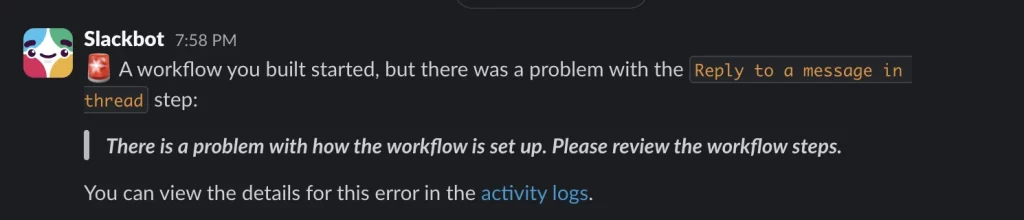
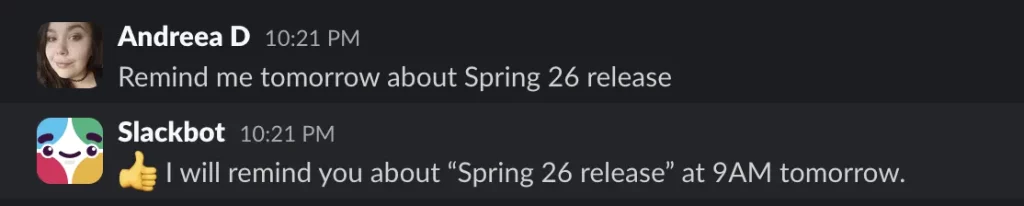
Before AI became part of Slack, Slackbot mainly functioned as an automated assistant. It greeted new users, responded to predefined triggers, sent reminders, and provided guidance whenever needed. It also acted as Slack’s built-in notification system, alerting users whenever workflows failed or unexpected issues occurred.
If you’ve used Slack before, chances are you’ve already encountered Slackbot in one of these situations.
More recently, Slack introduced AI capabilities like conversation summaries and catch-up recaps. While these features were a great start, Slackbot has now evolved beyond a simple automation tool into a true AI assistant. Instead of relying solely on preset responses, it can understand your work context and answer questions using information already available across your workspace.
Rather than searching through multiple channels yourself, you can simply ask Slackbot.
Getting Started With Slackbot AI
Getting started with the new Slackbot experience couldn’t be much easier. If AI has been enabled for your workspace and your Slack subscription includes AI features, you’re essentially ready to go.
There’s nothing to install, no AI model to train, and no extra setup required unless you want to provide additional resources.
From the moment it’s available, Slackbot is ready to support your daily work. Thanks to its access to Slack and connected platforms like Salesforce, it can already understand your projects, teammates, conversations, upcoming deadlines, and action items without requiring extensive prompts.

Try Out the Ready-to-Use Prompts
Right from the start, Slackbot comes with four categories of built-in prompts that users can explore immediately: Discover, Create, Find, and Brainstorm. Some prompts are designed to be more general than others, but even if you begin with a simple request, you can continue the conversation afterward and provide additional details based on the initial response from the AI agent.

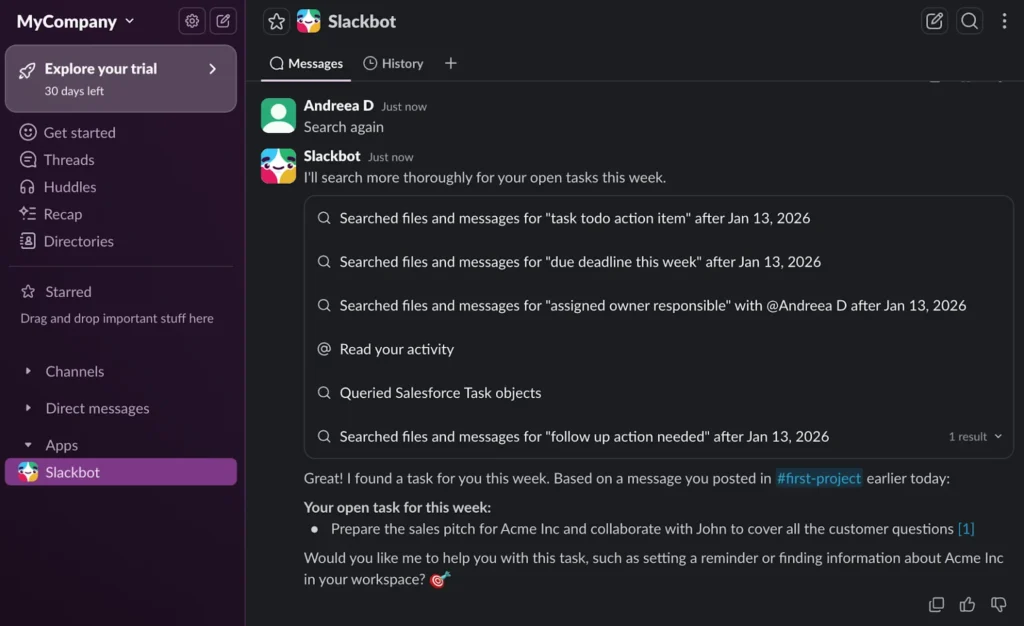
One example of a predefined prompt is “Find open tasks for this week.” This prompt quickly demonstrates Slackbot’s ability to bring together information from different sources and show how your existing data can be used within seconds.
In this example, the test Slack workspace is connected to a Salesforce Developer Edition organization. Without requiring any additional instructions, Slackbot already understands that connection and knows where to look for relevant information.
It can identify upcoming tasks from multiple sources, including Salesforce Tasks, your Slack activity, and shared files, then combine them into a useful overview of what needs your attention during the week.
Ultimately, no matter where the information originally exists or what format it was stored in, Slackbot has a strong chance of finding it—and it can usually do so much faster than someone manually searching through each system.
Of course, the way you phrase your request still matters. Similar to other AI chat experiences, you can continue asking follow-up questions, adjusting your prompts, and refining the conversation until you get the most accurate result.

In the example above, Slackbot did not initially find any tasks because there simply were no available tasks to discover. To test it again, a new action item was created as a Slack message.
This time, Slackbot successfully identified the task and provided additional context by linking directly to the original channel and message where it appeared. It also suggested possible next steps to help complete the task more efficiently.
Pretty useful, right?
Ask Slackbot What You Need To Know
Instead of continuing with the previous conversation, let’s start a new one by asking Slackbot about an Account that needs to be prepared for a sales presentation.
With only the Account name as input, Slackbot searched through both Slack and Salesforce to collect the latest information about the prospect. It successfully returned the details along with linked references for each piece of information, making it easier to verify the source.
A task that could normally take a Sales Manager a significant amount of time—searching across different systems, conversations, and related records—was completed by Slackbot within moments.
Beyond simply gathering information, Slackbot also provided suggested next steps. This helps users understand exactly what actions need to be taken and when they should happen, reducing the time spent figuring out what comes next.
The more access Slackbot has, the more valuable it becomes. For example, connecting your calendar with Slack allows the assistant to check availability—not just for you, but potentially across your entire team.
In real-world situations, finding a suitable meeting time between multiple team members working across different time zones can become much easier with Slackbot’s assistance.
Share New Resources and Have Slackbot Take Action
Beyond the information already available in Slack and Salesforce, teams often rely on offline documents that still need to be shared, reviewed, or transformed into useful outputs. In this example, we have an Account Plan document for an active Acme Opportunity that is nearly ready to be delivered to the customer. By simply providing Slackbot with a prompt and sharing the document, the assistant can quickly generate a customized email draft that is ready to send to the appropriate contact.
What is interesting is that Slackbot did not simply create a generic email. The agent explored different possibilities to identify the correct Opportunity Contact Role that the message should be addressed to. After finding the right contact, it generated the draft based on that information.
However, there is one limitation to keep in mind: at least for now, Slackbot can help create the email, but it cannot send emails on your behalf. Before uploading an Account Plan or any other document directly to Slackbot, it is worth checking whether the information may already exist somewhere within your workspace. Instead of spending time searching through folders and files manually, you can ask Slackbot first. There is always a possibility that someone on your team has already shared a newer or more relevant version of the document.
Another useful capability of Slackbot is helping teams move beyond traditional files and documents by creating a more collaborative workspace through Slack Canvases. In this example, we already know that the Account Plan information exists somewhere in Slack. However, if the goal is to start monitoring progress and keeping everyone aligned, creating a Canvas only requires a simple request. Slackbot not only transferred the Account Plan action items into a Canvas but also tagged the relevant team member and connected the related Salesforce Account record.
One thing to note is that the Canvas was not automatically associated with the corresponding Salesforce Channel for Acme. For now, that connection still appears to require a manual step. Ultimately, a Canvas can be customized with whatever information your team needs—from task lists and action items to executive summaries, project concepts, and planning materials.
As long as Slackbot has access to the necessary context, creating and organizing this information can be as simple as asking.

Things To Keep In Mind
Similar to other Salesforce products and AI-powered features, there are several important considerations to keep in mind when using Slackbot and its built-in AI capabilities.
- The new Slackbot experience is being gradually rolled out to Business+ and Enterprise Slack customers starting from January 13, 2026. Organizations using Legacy Business+, Enterprise Grid, and Enterprise Select plans with the Slack AI add-on are also included in this rollout.
- Slackbot AI and the newly introduced advanced capabilities are available without additional charges beyond the existing Business+ and Enterprise subscription costs.
- Before making Slackbot available across your team, administrators should review the AI feature permissions and select the settings that best match their organization’s business requirements.
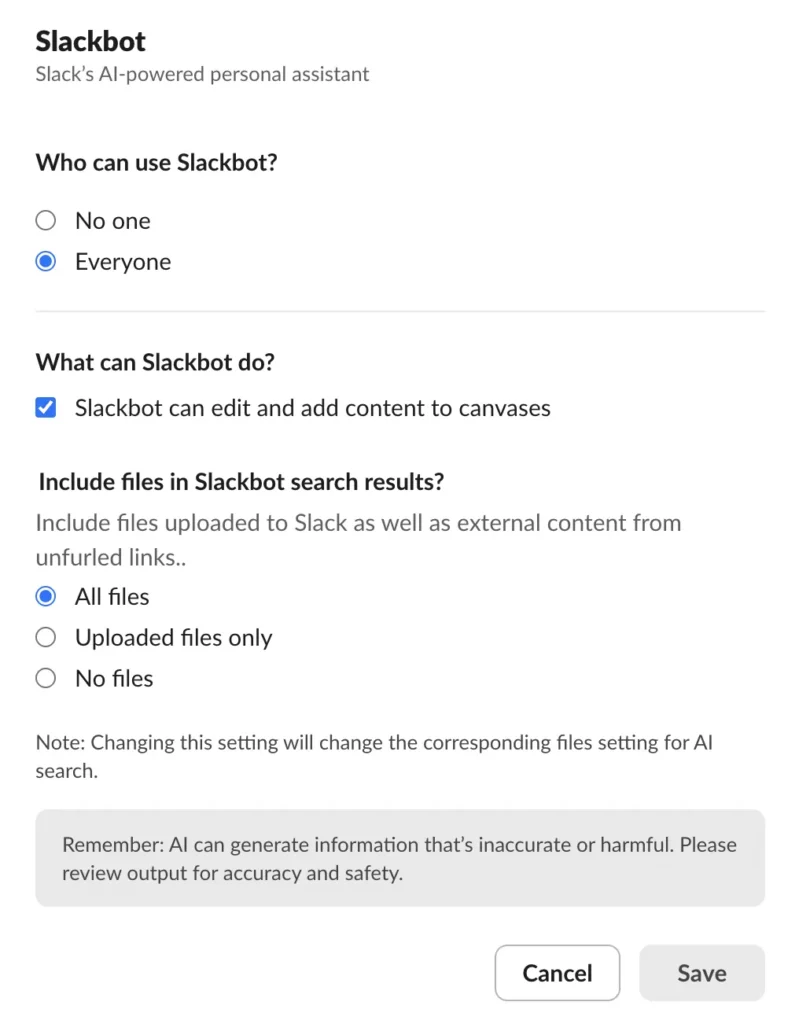
Users can also adjust several Slackbot preferences to personalize their own experience. These options are available within the Slack AI preferences section.
From a security and privacy perspective, Slack ensures that Slackbot uses each user’s existing access permissions and workspace context. This means the personalized AI assistant will only provide information that the user is already authorized to view—just in a much faster and more convenient way.
For additional information, users can refer to Slack’s FAQ resources and official Slackbot documentation.
Summary of Understanding
One thing is clear: Slack should no longer be viewed as just a simple communication tool for teams. The platform has evolved into something much more powerful.
As Slack continues improving its core features and expanding AI capabilities across the platform, it is moving closer to becoming the agentic OS that Salesforce envisions.
Beyond helping teams communicate, Slack is becoming a central workspace where employees can quickly find information, organize plans, collaborate effectively, and take action—all in real time.
With the new AI-powered Slackbot, users have a smarter way to stay updated, manage their work, and make decisions faster without constantly switching between different tools.
Have you already tried the new Slackbot experience? Are you planning to explore it soon? Share your thoughts in the comments below!
Source: salesforceben.com
Ready to Build a Digital Workspace for Your Business?
Nimbus Consulting helps businesses implement and optimize the Salesforce and Slack ecosystem to improve collaboration efficiency and automate workflows.
Contact the Nimbus team of experts to explore the right solutions for your business.
Hotline: (+84) 812 014 918
Website: nimbus-consult.vn – Sign in and consulting Slack and Salesforce
 Ho Chi Minh City Office: 68 Bat Ban, Binh Trung Ward, Ho Chi Minh City